Thermostat issues are very common because the device reacts to small changes around it. Heat from sunlight, nearby appliances or even dust can disturb its sensors.Green Shirts offers proper thermostat inspection and fixing services in Dubai, so your AC can return to smooth and steady cooling.
A faulty thermostat affects your AC’s performance very quickly. The AC may turn on and off at the wrong time. The room may stay warm even when the AC is running. Incorrect temperature signals also force the AC to work harder, which raises electricity costs and reduces comfort.
Table of Contents
Signs Your Thermostat Is Not Working Properly
- The AC turns on and off at the wrong time.
- The room temperature does not match the thermostat reading.
- The display becomes unresponsive or freezes.
- The thermostat screen goes blank or flickers.
- You hear clicking sounds, but the AC does not start.
- Cooling feels slow, uneven or unpredictable.
- The AC runs nonstop but the room still does not reach the set temperature.
- Buttons do not respond or take too long to react.
- Temperature changes happen without you adjusting anything.
Common Thermostat Issues Homeowners Face
- Dead or Weak Batteries: When the batteries run low, the thermostat loses power and starts giving delayed or incorrect signals. This often causes the AC to stop responding or shut off randomly.
- Loose or Damaged Wiring: Wires can loosen over time or get damaged due to heat or movement. This breaks the connection between the AC system and the thermostat, leading to sudden cooling failures.
- Wrong Thermostat Placement: If the thermostat is installed near sunlight, windows, or heat-producing appliances, it reads the wrong temperature and sends incorrect instructions to the AC.
- Dust and Dirt Inside the Thermostat: Dust settles on the internal sensors and blocks accurate temperature detection. This causes uneven, slow or unstable cooling performance in the room.
- Unresponsive or Frozen Display: The screen may freeze, lag or stop responding due to internal faults, low power, or old hardware. This makes it hard to change settings or control the AC.
- Incorrect Settings or Mode Selection: Sometimes the problem is just a wrong setting. If the mode is set to Heat instead of Cool or the fan is on Auto instead of On, the AC behaves differently than expected.
Easy Fixes You Can Try at Home
1. Restart the Thermostat Properly
A proper restart often fixes small internal errors that build up over time. Turn the thermostat off, wait at least one minute, and turn it back on. This gives the sensors a fresh start and clears temporary glitches. After restarting, check if the AC responds faster or starts cooling normally again. It’s one of the easiest and quickest fixes.
2. Replace Weak or Dead Batteries
Old batteries make the thermostat slow, unresponsive or completely blank. Remove the cover and replace them with fresh, high-quality batteries. Once you put new ones in, the display becomes stable, and the thermostat starts sending correct signals again. This simple step can instantly solve random cooling failures and strange temperature changes.
3. Clean Dust and Dirt from the Thermostat
Dust builds up inside the thermostat over time and blocks the temperature sensors. Open the cover carefully and clean the inside using a dry cloth or a soft brush. Make sure no moisture touches the components. Clean sensors read the real room temperature accurately, which helps your AC cool more evenly and avoid unnecessary strain.
4. Check Your Settings and Mode Selection Carefully
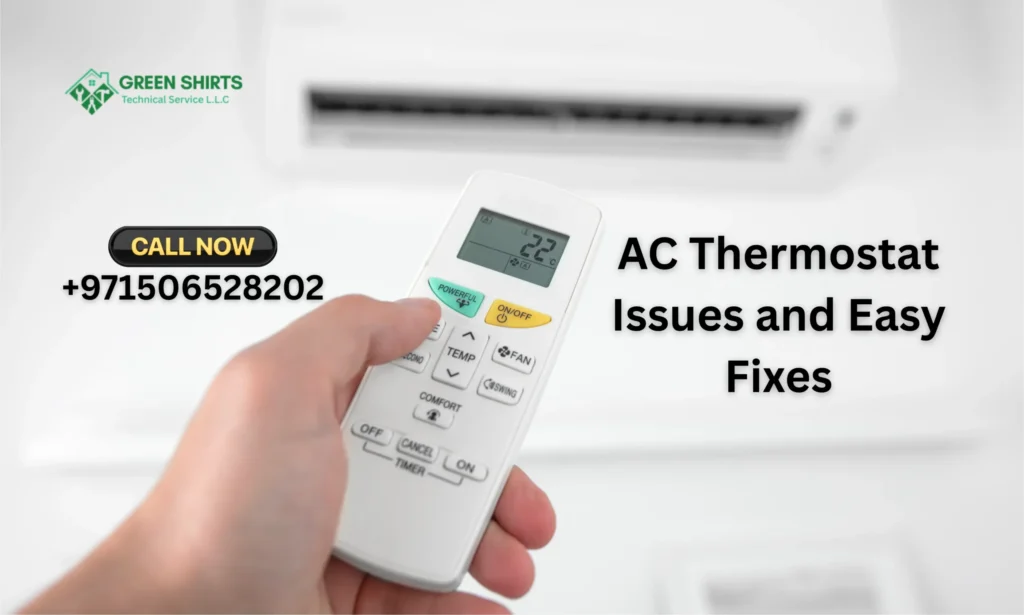
A wrong setting can make the AC behave in unexpected ways. Make sure it’s in Cool mode, the temperature is set low enough, and the fan mode is correct. Check if any schedules or timers are accidentally turned on. A small adjustment in these settings can immediately fix delays, uneven cooling or no-cooling situations.
5. Reset or Recalibrate the Thermostat
If the thermostat is still acting strange, use the reset option from the menu or the hidden reset button. Resetting clears old errors, fixes calibration issues and restores default system settings. This is especially useful after power outages or voltage changes. Once reset, the thermostat communicates more accurately with the AC and improves overall cooling performance.
When Cleaning, Resetting or Replacing Batteries Helps
Sometimes, thermostat problems are not complicated and can be fixed at home. If your thermostat is dusty or dirty, the sensors may not work properly. Cleaning the unit gently with a soft cloth can improve its performance. Green Shirts also provides professional thermostat cleaning and maintenance services if you want a hassle-free solution.
Resetting the thermostat can often solve minor glitches. This simple step clears errors and allows the system to start fresh. Make sure to follow the manufacturer’s instructions while doing a reset to avoid causing more issues.
Low or dead batteries are another common reason thermostats stop working. Replacing batteries regularly ensures that your thermostat runs smoothly without interruptions. Always check the battery compartment and use the recommended type for your device.
Thermostat Wiring or Placement Causes Issues
Thermostat problems are caused by how it’s installed rather than the device itself. Incorrect wiring can prevent the system from responding properly. Loose or damaged wires may stop signals from reaching your AC, causing uneven cooling or failure to turn on.
Placement is also important. If your thermostat is installed near heat sources, direct sunlight, or drafty areas, it may give false readings. This makes your AC run too much or too little, affecting comfort and energy bills.
Professional inspection can help identify wiring issues or poor placement. Green Shirts offers services to check and correct thermostat wiring and installation, ensuring your system works efficiently.
When to Upgrade or Call a Professional Technician
Some thermostat issues cannot be fixed with simple cleaning, battery replacement, or resetting. If your thermostat is old, constantly malfunctioning, or causing your AC to run inefficiently, it may be time to upgrade. Newer models offer better accuracy, energy savings, and smart features.
Persistent problems like erratic temperature swings, unresponsive controls, or wiring issues should be handled by a professional. Green Shirts provides expert thermostat inspection, repair, and replacement services to ensure your cooling system works reliably.
Conclusion
Thermostat problems are common but often easy to fix. Cleaning, resetting, or changing batteries can solve minor issues. Placement and wiring also matter. For persistent or complicated problems, calling a professional is the best choice. Regular care keeps your AC running efficiently. Green Shirts can help with all thermostat services, saving you time and stress.